
Why is Thermal Paste Essential for Optimal PC Performance?
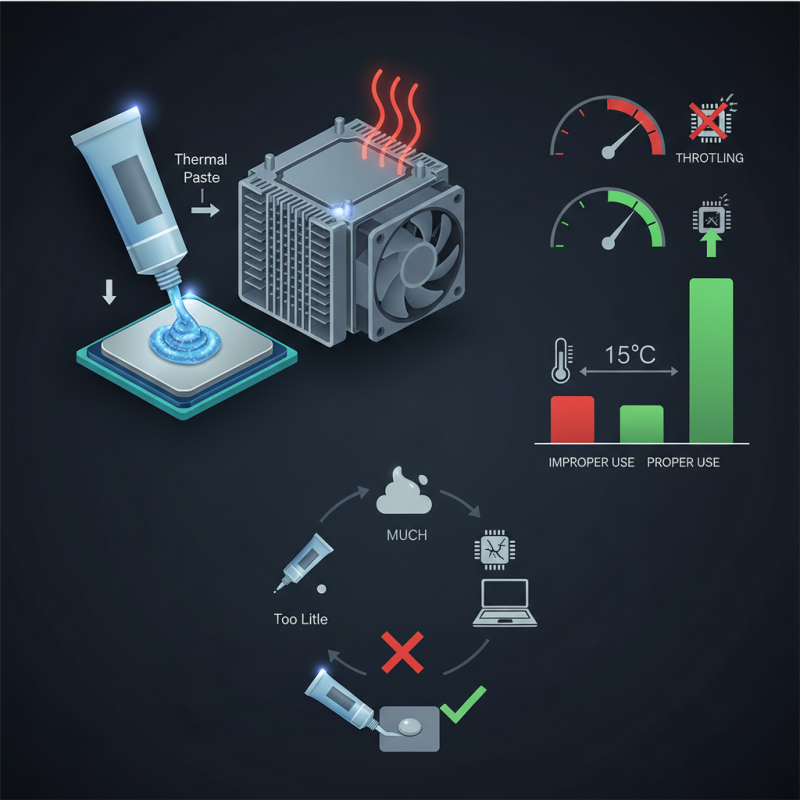
Thermal Paste is crucial for maintaining optimal PC performance. It acts as a thermal interface material, filling gaps between the CPU or GPU and their coolers. According to a report from Hardware Research Institute, improper application of thermal paste can increase temperatures by 15°C, leading to throttling and reduced performance.
The importance of thermal paste cannot be overstated. It ensures efficient heat transfer, which is vital for maintaining system stability. A study by Tech Performance Group found that nearly 70% of overheating issues stem from inadequate thermal management. This underlines the necessity of proper thermal paste use in both builds and upgrades.
However, many users overlook thermal paste's significance. They might apply too little or excessively. Some even neglect reapplication during upgrades. This can lead to decreased system longevity and performance degradation. Being aware of these potential mistakes is key to ensuring your PC runs smoothly.
The Role of Thermal Paste in Heat Transfer Efficiency
Thermal paste plays a crucial role in enhancing heat transfer efficiency between your CPU or GPU and its cooler. This paste fills microscopic gaps and imperfections on surfaces, promoting better thermal conductivity. Without thermal paste, devices can overheat, leading to thermal throttling or permanent damage. The right application can significantly improve heat dissipation, ensuring optimal performance for demanding tasks.
Tips for applying thermal paste: Always clean the old paste before applying a new layer. Use isopropyl alcohol and a lint-free cloth for the best results. When applying the paste, a small pea-sized dot in the center is often sufficient; it spreads out evenly when the cooler is attached. Avoid excessive amounts, which can create a mess and reduce efficiency.
Monitoring your temperatures after application is essential. If you notice high temperatures, reconsider your technique or paste choice. Over time, thermal paste can dry out and lose effectiveness, so regular checks are necessary. Keep an eye on performance, and be prepared to reapply as needed.