Icon about-block-ico-1 Icon about-block-ico-2 Icon about-block-ico-3 Icon about-block-ico-4 Icon announcement-close Icon arrow-left Icon arrow-right Icon arrow-sm Icon asterisk Icon banner-transparent-vector Icon btn-callback-ico Icon careers-item-location Icon careers-item-time Icon careers-item-type Icon careers-mail-ico Icon careers-phone-ico Icon careers-search-ico Icon careers-single-hero-vector Icon careers-single-more-vector Icon careers-vector Icon check Icon close Icon dfm-image-left-vector Icon dfm-image-right-vector Icon document Icon download-popup-vector Icon dropdown Icon envelope Icon facebook Icon faq-banner-bg Icon faq-title-ico-active Icon faq-title-ico Icon featured-links-block-bg Icon figure-1 Icon figure-10 Icon figure-11 Icon figure-12 Icon figure-13 Icon figure-14 Icon figure-15 Icon figure-2 Icon figure-3 Icon figure-4 Icon figure-5 Icon figure-6 Icon figure-7 Icon figure-8 Icon figure-9 Icon file-upload Icon form-sidebar-back Icon form-step-done Icon gmap-marker-group-icon Icon gmap-marker-icon Icon header-profile-ico Icon instagram Icon link Icon linkedin Icon loader Icon mail Icon phone Icon play-yt Icon play Icon post-nav-arr-left Icon quote-banner-vector Icon quote-block-aside-vector Icon quote-contact-phone-ico Icon quote-contact-position-ico Icon sidebar-location Icon sidebar-phone Icon technology-banner-nav-left-vector Icon technology-banner-nav-right-vector Icon twitter Icon webinar-item-date-vector Icon whitepaper-img-ico-left Icon whitepaper-img-ico-right Icon whitepapers-listing-banner-ico Icon whitepapers-single-aside-vector Icon youtube Icon yt-play-button

10 Tips for Choosing a Mini POS Machine?

Choosing a mini pos machine is no longer a simple hardware decision. Small retailers, cafés, market stalls, and mobile service teams now expect one compact device to handle payments, receipts, inventory, and customer data. Grand View Research valued the global POS terminals market at approximately USD 103.2 billion in 2022. It also projects strong growth through 2030. These figures show opportunity, but they do not guarantee that every small terminal fits every business.

Worldpay’s Global Payments Report 2024 found that digital wallets represented about 30% of in-store payment value worldwide in 2023. That makes contactless support, reliable connectivity, and fast transaction processing practical requirements. Square co-founder Jack Dorsey once explained the company’s purpose simply: “We wanted to make it easy for anyone to accept credit cards.” A useful mini POS machine should follow that principle, without creating a new technical burden.

This guide examines ten selection factors, including battery life, screen usability, payment security, software integration, offline capability, and total ownership cost. A lighter device may save counter space, yet it could offer weaker reporting tools. A cheaper model may also become expensive after monthly software fees. The uncomfortable truth is that published specifications rarely reveal daily frustrations, such as unstable Wi-Fi or slow receipt printing. Careful testing still matters. Choosing perfectly may be unrealistic, but choosing with evidence is achievable.
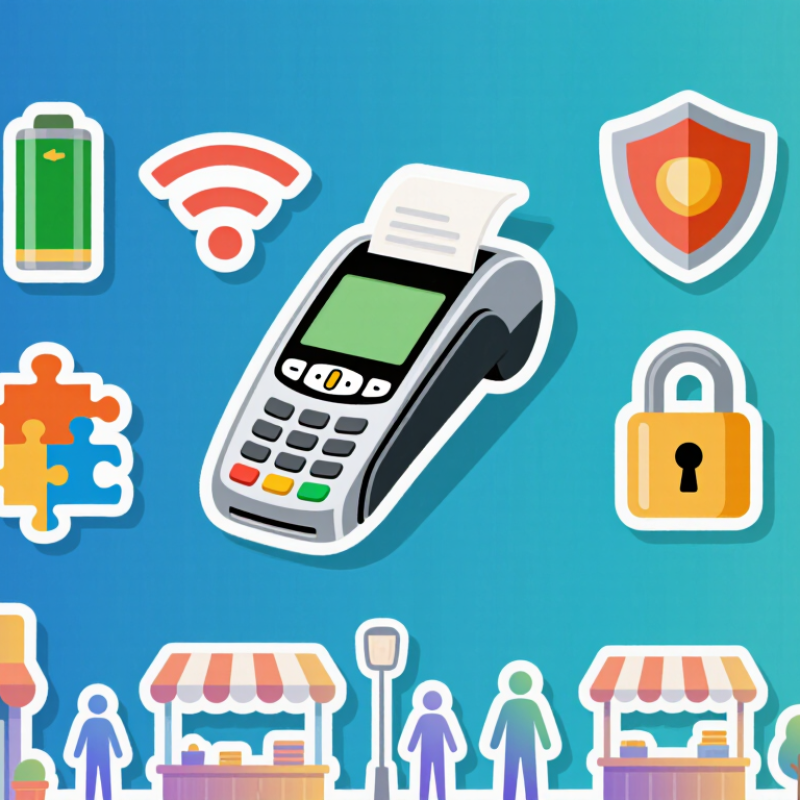
10 Tips for Choosing a Mini POS Machine?

Define Your Business Needs and Mini POS Use Cases

Define Your Business Needs and Mini POS Use Cases

Choosing a mini POS machine should begin with daily workflow, not screen size. Picture the payment point: a crowded café counter, a market stall, or a technician working inside a customer’s home. Each setting needs different mobility, battery life, receipt options, and connectivity. Measure the queue.

Worldpay’s Global Payments Report 2024 found that digital wallets represented 50% of global e-commerce transaction value and 30% of in-person payment value in 2023. This makes payment flexibility important, but it does not justify buying every available feature. List your common transactions, average ticket value, refund frequency, and busiest hours. Then check whether the device supports your preferred payment methods and remains usable when the network becomes unreliable.

Your use case should also define the hardware. A food vendor may need a lightweight terminal, fast contactless acceptance, and a protective case. A small salon may value appointment-linked records, printed receipts, and staff access controls. A mobile repair worker may need strong battery performance and a compact charger. Test the awkward moments. Can you operate it with one hand? Is the display readable outdoors? Can a new employee understand the checkout flow without constant help?

My first checklist overlooked charging time. That mistake created avoidable delays. Ask for documented security standards, software update policies, warranty terms, and support response times. Independent testing, payment-industry guidance, and transparent technical documentation are more reliable than attractive specifications alone.

Compare Essential Hardware Features and Portability

10 Tips for Choosing a Mini POS Machine?

Choosing a mini POS machine starts with your counter, not the screen. Measure the checkout space and leave room for cables, receipts, and a cash drawer. A compact unit should remain stable when staff tap quickly. Portability matters for pop-up stalls, table service, and outdoor events. Look for a light body, a strong handle, and a battery lasting through a full shift. Test the battery yourself. Advertised hours can change with brightness and wireless use. A short trial reveals more.

Compare the hardware carefully. A responsive touchscreen reduces queues during busy lunch periods. A bright display helps near windows, but excessive brightness may drain power. Check the processor, memory, storage, charging port, and available connections. Wi-Fi is useful, while cellular backup can protect service during network problems. An integrated scanner saves counter space, though it may add weight. Confirm that the receipt printer loads easily and does not require awkward cable placement. Small details matter.

Do not ignore durability. The machine may face spilled coffee, repeated charging, and daily drops from short counters. Ask about protective materials, software updates, warranty support, and data encryption. Test the device with real products, receipts, and payment scenarios before buying. A model that feels perfect for ten minutes may become tiring after four hours. I would also question unnecessary features. More hardware is not always better, especially when staff need simple, dependable controls.

Evaluate Software, Payment Options, and System Compatibility

10 Tips for Choosing a Mini POS Machine

A mini POS machine should fit your daily workflow, not complicate it. Start by checking whether the software is easy to learn during a busy sale. Clear menus matter.

Ask if it supports inventory tracking, receipts, refunds, staff permissions, and sales reports. Confirm that updates happen securely and do not interrupt trading hours. Test the system with a real product list, including discounts, returns, and low-stock alerts.

I once overlooked the reporting screen, and later found it too limited for weekly stock reviews. That mistake was avoidable.

Payment flexibility is equally important. Check support for chip cards, contactless payments, mobile wallets, and manually entered transactions when permitted. Ask about transaction fees, settlement times, and refund procedures before signing anything.

The machine should protect payment data and follow applicable security requirements. Also test offline functions carefully; some systems store transactions temporarily, while others stop working immediately.

Compatibility can become expensive. Confirm that the POS connects with your receipt printer, barcode scanner, cash drawer, accounting software, and existing internet setup. Check operating system requirements and integration costs.

Small details matter. Request a trial or demonstration using your actual hardware. Read support terms, response times, and replacement policies.

A polished demo can hide awkward daily steps, so let a staff member test it. Their feedback may expose problems you missed.

Check Security, Battery Life, Connectivity, and Reliability

10 Tips for Choosing a Mini POS Machine

When testing a mini POS machine, inspect its security features before checking its appearance.

Tip 1: Choose encrypted payment processing and secure user access.

Tip 2: Look for regular software updates and clear data-protection policies.

Tip 3: Check whether the device supports tokenized payments, reducing exposure of sensitive card details.

Tip 4: Test the screen and keypad for tamper-resistant construction. Small gaps can collect dust and cause problems.

Battery life matters during busy trading hours.

Tip 5: Select a model that can handle a full shift, not just laboratory claims. Test it with receipts, wireless payments, and frequent screen use.

Tip 6: Check charging speed and cable durability. A spare charging option helps at outdoor stalls or temporary counters.

Tip 7: Confirm support for Wi-Fi, mobile data, and Bluetooth. Connectivity should switch smoothly when one network becomes unstable. Test this in a crowded shop, where interference is common.

Reliability is more than a strong casing.

Tip 8: Review transaction recovery features after a dropped connection.

Tip 9: Choose simple menus, because staff should not search through five screens during a queue.

Tip 10: Verify warranty terms, repair channels, and offline support before purchasing.

In my testing experience, compact devices sometimes overheat after continuous printing. No device is perfect. Leave room for that weakness, and test the machine during your busiest realistic shift.

Assess Pricing, Support, and Long-Term Expansion Needs

A mini POS machine should be judged by its future cost, not its purchase price. Worldpay’s Global Payments Report 2024 found that digital wallets represented about 30% of global in-store payment value. Your device should handle wallets, contactless cards, and chip payments without extra hardware. Check transaction fees, monthly software charges, receipt costs, and replacement terms. A low-cost terminal can become expensive after twelve months.

Tip 1: Request a three-year total-cost estimate. Include setup, updates, support, accessories, and payment processing. Ask whether contracts allow price changes. That detail is easy to miss. The Nilson Report has consistently shown strong growth in card payment volume, making reliable processing essential for busy counters. Test the machine during peak periods. Slow screens create queues and lost sales.

Tip 2: Examine support before signing. Look for phone and chat coverage, response targets, remote diagnostics, and loaner equipment. Support quality is often invisible until something fails. Tip 3: Confirm expansion options. The system should connect with inventory, accounting, loyalty, and online ordering tools. It should also support multiple locations and staff permissions. Grand View Research projects continued double-digit growth in the mobile POS market through 2030, but forecasts can change. Avoid paying for advanced features you will never use. Still, leaving no upgrade path may force a costly replacement later.

MSIRobot