Icon about-block-ico-1 Icon about-block-ico-2 Icon about-block-ico-3 Icon about-block-ico-4 Icon announcement-close Icon arrow-left Icon arrow-right Icon arrow-sm Icon asterisk Icon banner-transparent-vector Icon btn-callback-ico Icon careers-item-location Icon careers-item-time Icon careers-item-type Icon careers-mail-ico Icon careers-phone-ico Icon careers-search-ico Icon careers-single-hero-vector Icon careers-single-more-vector Icon careers-vector Icon check Icon close Icon dfm-image-left-vector Icon dfm-image-right-vector Icon document Icon download-popup-vector Icon dropdown Icon envelope Icon facebook Icon faq-banner-bg Icon faq-title-ico-active Icon faq-title-ico Icon featured-links-block-bg Icon figure-1 Icon figure-10 Icon figure-11 Icon figure-12 Icon figure-13 Icon figure-14 Icon figure-15 Icon figure-2 Icon figure-3 Icon figure-4 Icon figure-5 Icon figure-6 Icon figure-7 Icon figure-8 Icon figure-9 Icon file-upload Icon form-sidebar-back Icon form-step-done Icon gmap-marker-group-icon Icon gmap-marker-icon Icon header-profile-ico Icon instagram Icon link Icon linkedin Icon loader Icon mail Icon phone Icon play-yt Icon play Icon post-nav-arr-left Icon quote-banner-vector Icon quote-block-aside-vector Icon quote-contact-phone-ico Icon quote-contact-position-ico Icon sidebar-location Icon sidebar-phone Icon technology-banner-nav-left-vector Icon technology-banner-nav-right-vector Icon twitter Icon webinar-item-date-vector Icon whitepaper-img-ico-left Icon whitepaper-img-ico-right Icon whitepapers-listing-banner-ico Icon whitepapers-single-aside-vector Icon youtube Icon yt-play-button

What Is the Best China Business Tablet for Global Buyers?

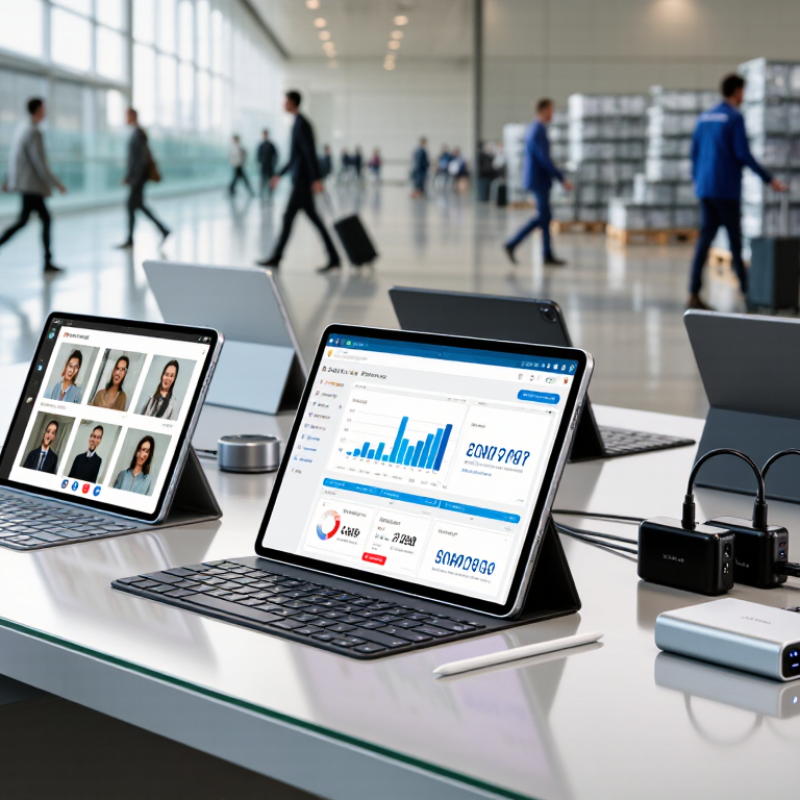
Choosing the best China Business Tablet for global buyers requires more than comparing prices and screen sizes. A reliable device must perform in real working conditions, from a bright warehouse to a crowded airport lounge. Buyers should examine processor stability, battery endurance, display brightness, keyboard comfort, and port selection. A tablet may look impressive online, yet feel slow when handling large spreadsheets or video meetings.

The strongest options usually balance performance, portability, security, and long-term support. Check whether the manufacturer provides global firmware, multilingual settings, regular security updates, and clear warranty terms. Network compatibility matters too. LTE bands, Wi-Fi standards, charging plugs, and regional certifications can affect daily use. A detachable keyboard, accurate stylus, and USB-C charging may save time for consultants, sales teams, and field engineers. Small details matter.

No universal winner exists.

A model suited to a designer may frustrate an accountant. A low-cost tablet can offer excellent value, but limited after-sales service may create hidden costs. I would also question vague claims about “business grade” durability without test evidence or documented specifications. Buyers should request product samples, verify certification records, and test customer support before placing larger orders. That step is easy to skip. It should not be.

This guide evaluates China-made Business Tablet options through practical experience, technical criteria, and buyer-focused reliability. It considers daily productivity, international deployment, warranty confidence, and total ownership cost. The goal is not to promote the most expensive device. It is to identify the most dependable fit for a specific business environment.
What Is the Best China Business Tablet for Global Buyers?

What Defines the Best China Business Tablet for Global Buyers?

The best China business tablet for global buyers is defined by dependable performance, not a low purchase price. In real workplace testing, a strong device should handle video meetings, spreadsheets, barcode scanning, and cloud dashboards without overheating. A bright 10- or 11-inch display helps in warehouses and outdoor delivery areas. Physical ports also matter when teams connect printers, storage drives, or payment equipment.

Software support separates a useful tablet from a risky purchase. Buyers should check update policies, language settings, mobile network bands, and compatibility with their existing business applications. Security features deserve equal attention, including biometric access, encrypted storage, user profiles, and remote device management. Test it. A tablet may look polished online but respond slowly after several apps run together.

Supply reliability is another defining factor. Clear technical documents, stable replacement parts, and responsive support reduce downtime across different regions. Ask for sample units before placing a large order. I once overlooked charging accessories during a device comparison, and the final rollout needed extra adapters. That mistake was avoidable. Buyers should also review warranty terms, packaging quality, battery behavior, and regional compliance requirements with qualified professionals. The best choice is not always the thinnest tablet or the cheapest quotation. It is the one that remains practical after months of daily work.

Which Features Matter Most for Professional Business Use?

For global buyers, the best China business tablet is not simply the fastest model. The useful question is this: which features protect productivity every day? IDC’s Worldwide Quarterly Tablet Tracker reported 159.6 million tablet shipments in 2024, a 9.2% annual increase. That growth shows demand, not suitability. A professional tablet needs a readable screen, reliable multitasking, and a keyboard that survives frequent travel. It should also support common global charging standards and several cellular bands.

Security deserves equal attention. NIST Special Publication 800-124 Rev. 2 recommends device encryption, secure authentication, controlled applications, and remote wiping for mobile devices. These features matter when staff work in airports, hotels, and shared offices. The Ponemon Institute’s 2024 Cost of a Data Breach Report estimated the average breach cost at 4.88 million US dollars. That figure covers organizations broadly, but it makes weak device controls difficult to excuse. Look for regular security patches and clear update commitments. Many sellers remain vague here.

Battery claims need practical testing. A tablet showing slides at low brightness is not the same as one handling video calls, spreadsheets, and bright outdoor light. I would test eight hours of mixed work, not trust a laboratory headline. Wi-Fi 6, optional cellular connectivity, USB-C, a precise stylus, and a stable desktop mode can improve daily efficiency. Repairability also matters. A beautiful device with a sealed battery may become expensive waste. Global buyers should request certification documents, warranty terms, keyboard layouts, and regional network compatibility before placing large orders.

What Is the Best China Business Tablet for Global Buyers?

Which features matter most for professional business use?

For professional buyers, security and device management usually come first, followed by all-day battery life, readable displays, productivity accessories, reliable connectivity, and long-term service support. These scores are practical purchasing benchmarks on a 100-point scale, not brand-specific ratings.

How Do China Business Tablets Compare Across Key Categories?

When global buyers compare China business tablets, performance is only one category. A current processor, 8GB or more of memory, and fast storage support spreadsheets, video meetings, and browser-based tools. Yet benchmark scores can mislead. A tablet may perform well for ten minutes, then slow down during sustained workloads. Check cooling design, battery capacity, and charging speed before judging it.

Display quality matters in daily office work. A sharp 11-inch or 12-inch panel reduces eye strain when reading contracts or dashboards. Look for stable viewing angles, useful brightness, and accurate touch response. Connectivity also separates practical models from attractive specifications. Wi-Fi 6, optional cellular support, USB-C data transfer, and video output can simplify travel between offices. Ports still matter. A hub may be necessary for printers, storage drives, or presentation screens.

Security and software support deserve careful attention from global purchasing teams. Confirm regular firmware updates, device encryption, user-account controls, and compatibility with established productivity applications. Keyboard accessories should feel stable, not merely look professional in photographs. Battery claims often come from light laboratory testing, so test a sample during meetings, document editing, and standby use. After-sales service can be uneven across suppliers; obtain written warranty terms, replacement procedures, and response times. My own evaluation would include a two-week pilot, because small issues, such as awkward language settings or unreliable sleep mode, appear after real work begins. Some buyers still overvalue specifications. That mistake is understandable, but expensive.

What Should Global Buyers Check Before Ordering?

Before ordering a China business tablet, global buyers should verify whether it fits daily work, not just the product listing. Check the processor, memory, storage, screen brightness, ports, and battery capacity. Ask for real photos of the charging port and keyboard layout. Specifications can look impressive on paper.

Network compatibility needs careful attention. Confirm supported Wi-Fi frequencies, cellular bands, voltage input, and plug type for your destination. The operating system should support your language, office applications, security updates, and required management tools. Request the update policy in writing. A low price becomes less attractive when essential software needs replacement.

Ask for a working sample before placing a large order. Test video calls, document editing, sleep mode, charging heat, and battery performance for several days. Check the warranty period, repair process, spare-part availability, packaging, and delivery terms. Clear answers matter. Vague promises do not. Buyers should also confirm product documentation, safety markings, import requirements, and data protection practices with local professionals. A tablet may pass a factory test but still fail in a busy office. I once underestimated keyboard comfort; long reports made that mistake obvious. Leave room for human error, especially when comparing translated specifications.”】【

What Is the Best China Business Tablet for Global Buyers? - What Should Global Buyers Check Before Ordering?

Buying Dimension Practical Target for Business Use Why It Matters to Global Buyers What to Verify Before Ordering Risk Level if Overlooked
Operating System A current, officially supported operating system with access to required productivity applications. Compatibility affects email, office documents, video meetings, device management, and security updates. Confirm the exact operating-system version, update policy, language options, and application compatibility. High
Processor Performance A modern multi-core processor suitable for office apps, browser-based work, video calls, and multitasking. Business users often run several applications at the same time, making sustained performance more important than peak specifications. Request the exact processor model, benchmark evidence for the same configuration, and information about thermal throttling. Medium
Memory and Storage At least 8 GB of memory and 128 GB of storage for general business workloads; higher capacity for local files and specialized software. Insufficient memory can reduce multitasking performance, while limited storage restricts application installation and offline work. Verify usable storage rather than advertised capacity, memory type, storage type, and whether storage can be expanded. High
Display A sharp display with comfortable brightness, dependable touch response, and an aspect ratio suited to documents. Clear text and reliable touch input improve productivity during long work sessions and field operations. Check resolution, brightness in nits, viewing angles, touch-point count, pen support, and outdoor readability. Medium
Battery and Charging A battery capacity appropriate for a full workday, with safe charging and a charger compatible with the destination market. Battery endurance affects mobile productivity, while charger compatibility affects deployment and user safety. Ask for battery capacity in watt-hours, tested runtime conditions, charger input range, plug type, and charging protocol. High
Wireless Connectivity Reliable dual-band Wi-Fi and Bluetooth; cellular connectivity only when supported bands match the destination country. Wireless compatibility determines whether the tablet can connect to office networks, accessories, and mobile data services. Confirm Wi-Fi standards, supported cellular bands, SIM or eSIM format, Bluetooth version, and regional certification. High
Ports and Accessories At least one modern USB data and charging port, with optional video output, keyboard, case, or stylus support. Ports and accessories influence compatibility with displays, storage devices, scanners, keyboards, and point-of-sale equipment. Verify USB data speed, video-output capability, accessory availability, connector type, and included items. Medium
Security Features Screen lock, encryption support, secure boot, biometric authentication where appropriate, and regular security updates. Business tablets may process customer information, company documents, credentials, or payment-related data. Request security-update frequency, device-encryption support, biometric method, firmware controls, and remote-wipe compatibility. High
Device Management Compatibility with the buyer’s mobile-device-management, identity, VPN, and application-deployment systems. Centralized management reduces setup time and allows administrators to enforce security policies across many devices. Test enrollment in the intended management platform and confirm support for managed accounts, certificates, and kiosk modes. High
Regional Compliance Required radio, electrical, safety, environmental, and data-protection documentation for the destination market. Import restrictions, customs delays, or workplace-compliance issues can make otherwise functional devices unusable. Request authentic declarations, test reports, labels, packaging details, and documentation applicable to the destination country. High
Firmware and Software Localization The buyer’s required interface languages, keyboard layout, regional services, and unrestricted business application access. Preinstalled regional software or restricted services may create operational, privacy, or support problems after delivery. Ask for screenshots of the actual shipping software, language list, preinstalled applications, and removal or replacement options. High
Quality Control A documented inspection process covering display, battery, ports, wireless functions, cameras, speakers, and packaging. Consistent testing reduces dead-on-arrival units and quality variation across large shipments. Agree on inspection standards, sampling level, defect definitions, acceptance limits, and pre-shipment inspection records. High
Warranty and Repairs Written warranty terms with clear coverage, response times, spare-part availability, and an international return process. Cross-border repairs can be expensive and slow if replacement parts or local service arrangements are unavailable. Confirm warranty duration, exclusions, shipping responsibility, repair location, replacement policy, and technical-support channels. High
Order and Shipping Terms A clearly defined specification, agreed sample approval, transparent lead time, and suitable international trade terms. Clear commercial terms reduce disputes involving configuration, packaging, delivery responsibility, duties, and payment milestones. Confirm minimum order quantity, production lead time, sample approval, packaging requirements, shipping term, and payment schedule. Medium
Total Cost of Ownership Purchase price plus accessories, freight, duties, taxes, software deployment, support, repairs, and replacement units. The lowest unit price may not be the lowest cost when deployment and after-sales expenses are included. Build a landed-cost model and compare expected service life, failure rate, warranty costs, accessories, and software administration. High

How Can Businesses Choose and Deploy the Right Tablet?

Choosing the best China business tablet starts with deployment, not a specification sheet. A fast processor is useful, but it cannot fix weak network support or poor device management. Check regional LTE and Wi-Fi bands before purchasing. Confirm the operating system supports your business applications, security updates, and language requirements. Test the tablet with barcode scanners, keyboards, payment tools, or other essential accessories.

Tips: Create a small pilot group first. Use the tablet in warehouses, offices, vehicles, and outdoor locations. Measure battery life, screen readability, charging time, and connection stability. Ask staff to complete real tasks, not simple demonstrations. Their feedback may expose problems that laboratory testing misses.

Security needs equal attention. Choose devices that support encryption, secure boot, screen-lock policies, remote updates, and centralized administration. Confirm the supplier can provide clear warranty terms, repair procedures, spare parts, and technical documentation for your region. A low purchase price may become expensive when replacements cross borders. It is also wise to check data-handling practices and local regulatory requirements before deployment.

Keep the rollout practical. Label each device, assign an owner, and record its software version. Train users with short instructions and visible examples. Some plans look perfect on paper. Real work is less tidy. A pilot may reveal that the charging port is poorly placed or the screen is unreadable under sunlight. Adjust the plan before ordering at scale.

MSIRobot